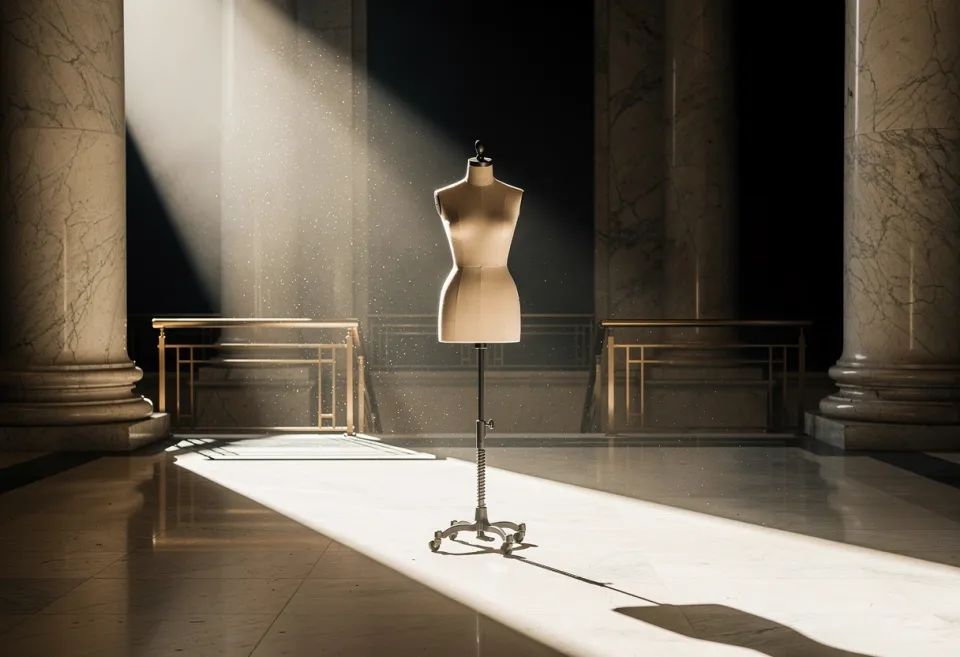
Slow push-in · Made with Kling 3.0 Pro · 5 seconds, silent
Prompt Keep this exact bottle and car still. Slow, steady push-in toward the brass plate on the bottle. Fog keeps drifting low across the salt flat. One camera move only, no morphing.
The bottle held its shape all the way in, but the car drove out of frame even though the prompt asked it to stay still. Models hold the main product far better than small details around it, so check everything in the frame you care about.
Workflow · 4 min read
Image-to-video prompts for steady product shots
Keep the approved still, ask for one simple camera move, and check the credit cost before you generate.
Published · Updated
Image-to-video prompts for steady product shots start with a still you already trust, not a request to invent a new camera setup. The clip works better when the start frame is a keeper, you name one simple camera move, and you keep the product steady. This is the motion companion to How to turn a product photo into a video and How to keep a product or character consistent with reference images.
Start from a still you would already publish
Image-to-video follows the first frame more closely than it invents a new product. If the still is soft, cropped oddly, or already has motion blur, the clip will keep those problems and often add new ones. Approve the still first, in Image mode or from a photo you already shot. Then switch to Video mode, add that still as the start frame, and pick a model from the list that accepts a start frame that day. Do not memorize a roster; models and capabilities can change, and the studio list is the source of truth. Motion models listed on the Models page include Veo 3.1, Kling 3.0 Pro, Seedance 2.0, MiniMax Hailuo 2.3, Runway Gen-4.5, and SkyReels V4, among others. Every plan includes every model in the catalog. A generation runs when your credit balance covers it.
Write a prompt that names one camera move
Lock the subject in the first clause, then name one move and the pace. Do not re-describe the product, and do not stack a dolly, a tilt, and a orbit in the same sentence. Anything already moving in the still — fog, snow, dust — can keep moving; it is the product and the camera that need to stay calm. A short clip is usually enough for a product shot; the credit cost scales with duration, resolution, and, on some models, audio, so start short and only lengthen a keeper. The prompt shows the cost before you generate — treat that number, not a remembered price, as current. Each clip on this page was made with Kling 3.0 Pro from its still and the prompt printed under it, push-in at the top.
Gentle orbit · Made with Kling 3.0 Pro · 5 seconds, silent
Prompt Keep this exact sneaker still in mid-air. Slow orbit a few degrees around it while the gold dust keeps spiralling. One camera move only, no morphing.
The camera swung further than a few degrees, round to the sole, and the shoe kept its exact shape the whole way.
Hold, then tilt · Made with Kling 3.0 Pro · 5 seconds, silent
Prompt Hold on this exact bottle for a beat while snow falls through the shaft of light, then a slow tilt up past the cap toward the window. One camera move only, no morphing.
The camera also drifted forward as it tilted; the bottle and the hall stayed consistent.
What usually makes a product clip drift
Prompts that name two or three camera moves at once often cause morphing. So do instructions that add weather, hands, or a new surface the still did not have. If the product starts to change shape, shorten the prompt, remove secondary action, and try again on the same start frame. If the idea is the motion itself — a pour, a melt, a reveal — generate that clip from text instead, and keep the approved still for the static set and for any simple camera-move version. See How to choose an AI video tool in 2026 if you are still deciding which tool should hold this work.
Spend cheaper stills before expensive motion
Pricing currently lists Seedream 5.0 Lite at 90 credits and Kling 3.0 Pro at 1,115 credits for a standard 5-second clip. Free is 1,250 credits a month with no card. Free covers about 7 Nano Banana 2 images (1K), 16 FLUX.2 Pro images, or 3 MiniMax Music tracks. the Spark card shows about 9 Kling 3.0 Pro clips (5 seconds), 62 Nano Banana 2 images (1K), or 27 Hailuo 2.3 Fast clips (6 seconds). the Maker card shows about 19 Kling 3.0 Pro clips (5 seconds), 125 Nano Banana 2 images (1K), or 6 Veo 3.1 clips (8 seconds, no audio). Those numbers can change, and other models have different prices. Check the cost in the prompt before you retry a video, and use packs on a paid plan only when you already know the still is right. Unused plan credits reset each month. For the full breakdown, see How VisoLab credit costs work.
Try it free
Make product photos and videos in VisoLab. Free credits to start — no studio day required.
Start free →FAQ
- Which models accept a start frame?
- Open Video mode, add a start frame, and use the model list you see that day. Capabilities are per model and can change, so this guide does not freeze a roster. The current motion lineup is on the Models page.
- How long should a product clip be?
- Start short. Standard lengths used on Pricing are 5 seconds for Kling 3.0 Pro, 6 seconds for Hailuo 2.3 Fast, and 8 seconds for Veo 3.1 without audio. Longer clips and higher settings cost more credits. Use the duration you can actually publish, then extend only a keeper.
- Why does the product morph even when I add a start frame?
- The start frame is a strong guide, not a lock on every pixel. Shorten the prompt, keep one camera move, and try another variant of the same still. The reference-image guide covers the still-side version of this habit.
- Do I need a paid plan for image-to-video?
- Image-to-video is in the workspace on every plan, including Free. A clip runs when your shared credit balance covers that model's cost. See Pricing.
More guides

Workflow · 4 min read
From packshot to lifestyle scene
Keep the bottle the same. Change only the world around it.
Read guide →
Workflow · 4 min read
How to keep a product or character consistent with reference images
A reference image stops the model inventing the subject again. Approve one still, then prompt the new place, crop, or camera move.
Read guide →

Workflow · 5 min read
How to make a product video for Instagram and TikTok
Start from your best product still, animate it with one camera move, and export a 9:16 clip ready for Instagram Reels and TikTok in under ten minutes.
Read guide →